Checklist OAI 2024 Stage I · Task 4
Colour Quantisation
Polish title: Kwantyzacja kolorów
Quantise each image to exactly 37 colours with a clustering method that minimises a weighted sum of reconstruction error and a cost that favours vivid colours.
The task
Colour quantisation drastically reduces the number of colours in an image while preserving its appearance. k-means minimises the mean squared error but ignores which colours it uses. In this task a colour cost is defined as the Euclidean distance in RGB space from the colour to the nearest of eight "simple" colours (black, white, red, green, blue, yellow, magenta, cyan), so that grey (127, 127, 127) is the most expensive colour.
The contestant writes a clustering algorithm that quantises each image (resized to 512×512) to exactly 37 colours and minimises 2·MSE + 21·max_color_cost + 42·mean_color_cost, where max_color_cost is the largest cost among the colours used and mean_color_cost is the average cost over all pixels. Each image is treated as an independent training set; no trained weights are loaded during evaluation.
The images were generated with DALL-E and Stable Diffusion. A k-means baseline, worth 0 points, is provided.
Abridged and translated by SOTA from the official Polish materials. The official statement has the exact rules, and it wins wherever this summary differs.
In English
This task was published in Polish. SOTA translated it into English on 16 September 2026. Only the words changed in the notebooks: markdown, code comments, messages and printed output. The code, file names and paths are the original's, so a translated notebook runs with the original data.
Read the task notebook in English
Colour quantisation
Introduction
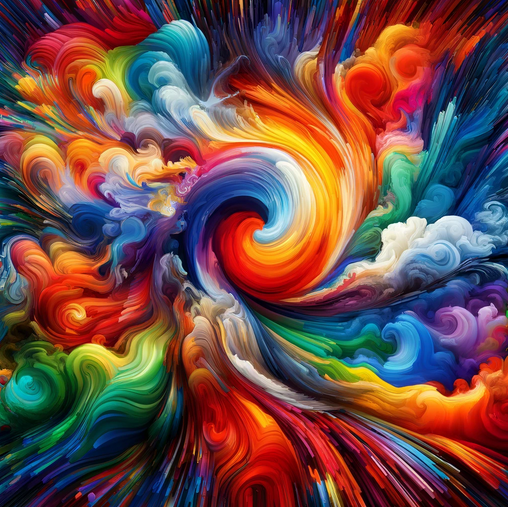
A standard colour image of size is represented by integers from the interval . This gives more than 16 million possible colours in total. Colour quantisation consists in drastically reducing the number of colours used, in order to reduce the file size while preserving the image quality as well as possible. The simplest quantisation method is to use the -means method. It works excellently as far as colour reduction is concerned, but its nature also affects the final appearance of the image:
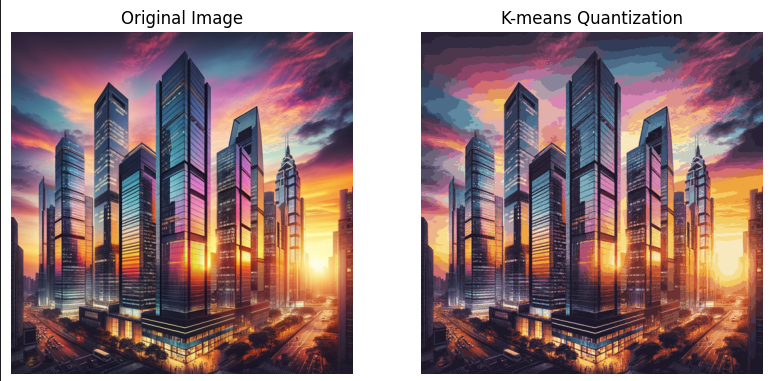
The method (-means) quantises the image by minimising the mean squared error (mean squared error - MSE) between the original and the reconstructed image. However, it does not care at all which colours it ends up using. It turns out, though, that if we impose costs on the use of colours, we will be able to influence the quality of the quantisation. In that case, however, the -means method will no longer be optimal.
Changing the quantisation method can therefore affect the final quality of the quantised image. And that is exactly what the task below is about.
Task
The goal of the task is to write a clustering algorithm that minimises an objective function different from that of -means.
To begin with, let us define the colour cost. We understand an RGB colour as a three-dimensional vector from the set , and we define the cost of a colour as the
Euclidean distance to the nearest "simple" colour in RGB space, where the simple colours are: black , white , red , green , blue , yellow , magenta and cyan . You will find the details in the function color_cost.
With the cost function defined in this way, the most expensive colour is , i.e. grey.
The interpretation of this cost function is therefore that we want to force the quantisation algorithm to prefer colours that are brighter and more vivid.
Our objective function will be a weighted sum of the individual components:
MSE: the mean squared error between the original and the reconstructed image --- this component ensures that the quantised image is close to the original.max_color_cost: the largest of the costs of the colours used --- this component strengthens the vividness of the colours by controlling the least vivid colour.mean_color_cost: the mean colour cost computed over all pixels --- this component forces the colours used to be sufficiently vivid on average.
The final criterion of quantisation quality will be $$2\cdot MSE + 21\cdot max_color_cost + 42\cdot mean_color_cost.$$
The criterion above and all the functions mentioned above are implemented by us below.
In this task we assume that the number of colours is fixed in advance and equals . Your algorithm must therefore quantise the image to colours in such a way as to minimise the objective function above.
Constraints
- In this task you may use a GPU.
- Your function should return 5 quantised images in at most 3 minutes on Google Colab with a GPU.
- Both the original and the quantised image should be passed to the evaluation function as an
np.arrayof typenp.uint8with values from the interval .
Notes and hints
- Each image is an individual training set; during evaluation, no weights of models trained by you will be loaded.
- You will work on images generated by DALL-E and Stable Diffusion.
- In the function
your_quantization_algorithmyou must set a seed, so that the results obtained on the training and validation sets carry over to the test set.
Submission files
Only this notebook.
Evaluation
Remember that during checking the flag FINAL_EVALUATION_MODE will be set to True. Using the script evaluation_script.py, you can make sure that your solution will be executed correctly on our grading servers.
For this task you can score between 0 and 1.5 points. If your score is above 8900, you will get 0 points, and if it is below 8000, you will get 1.5 points. Between these values, your points decrease linearly with the score.
Starter code
######################### DO NOT CHANGE THIS CELL WHEN SUBMITTING ##########################
FINAL_EVALUATION_MODE = False
# While checking your solution, we will change this value to True
# The value of this flag M U S T be set to False in the solution you send us!
######################### DO NOT CHANGE THIS CELL ##########################
import os
import numpy as np
from PIL import Image
import numpy as np
import matplotlib.pyplot as plt
import typing
import globLoading the data
######################### DO NOT CHANGE THIS CELL ##########################

# A class that makes it easier to load images from a given folder
class ImageDataset:
    def __init__(self, image_dir: str):
        self.filelist = glob.glob(image_dir + "/*.jpg")
        self.IMAGE_DIMS = (512, 512)

    def __len__(self):
        return len(self.filelist)

    def __getitem__(self, idx) -> np.ndarray:
        with Image.open(self.filelist[idx]) as image:
            image = image.convert('RGB')
            image = image.resize(self.IMAGE_DIMS)
            return np.array(image)

    def __iter__(self) -> typing.Iterator[np.ndarray]:
        return (self[i] for i in range(len(self.filelist)))
Code with the scoring criterion
######################### DO NOT CHANGE THIS CELL ##########################

# Below you will find the definitions of MSE and of the colour usage cost
# Remember that for evaluation they must be computed in RGB space, i.e. on integer values from the interval [0, 255]
# Scaling is allowed only during training!

# Let us define the criterion for assessing quantisation quality
# For this we will use the mean squared error (mean square error - MSE)
def mse(img, img_quant):
  return ((img_quant.astype(np.float32) - img.astype(np.float32))**2).mean()


# Next, let us define the colour usage cost
# The closer a given colour is to the "simple" colours, the lower the cost of using it
def color_cost(img_quant):
    vertices = np.array([
        [0, 0, 0], [0, 0, 255], [0, 255, 0], [0, 255, 255],
        [255, 0, 0], [255, 0, 255], [255, 255, 0], [255, 255, 255]
    ])

    pixels = img_quant.reshape(-1,3)

    differences = pixels[:, np.newaxis, :] - vertices[np.newaxis, :, :]
    squared_distances = np.sum(differences**2, axis=2)
    costs = np.sqrt(np.min(squared_distances, axis=1))

    return np.mean(costs), np.max(costs)


# The overall criterion defined in the task statement
def quantization_score(img, img_quant):
    assert img.dtype == np.uint8
    assert img_quant.dtype == np.uint8
    assert len(np.unique(img_quant.reshape(-1,3), axis=0)) == 37

    mse_cost = mse(img, img_quant)
    mean_color_cost, max_color_cost = color_cost(img_quant)
    score = mse_cost * 2 + max_color_cost * 21 + mean_color_cost * 42
    print(f'MSE: {mse_cost:.4f}, max_color_cost: {max_color_cost:.4f}, mean_color_cost: {mean_color_cost:.4f}')
    print(f'Score: {score:.4f}')
    return score
Your solution
This section is the place for your solution. This is the only place where you should make changes!
def your_quantization_algorithm(img):
    #TODO - below is an implementation of a quantisation algorithm using k-means, worth 0 points
    #TODO - implement your own quantisation algorithm
    from sklearn.cluster import KMeans

    pixels = img.reshape(-1, 3)
    kmeans = KMeans(n_clusters=37, random_state=0).fit(pixels)
    colors = kmeans.cluster_centers_
    labels = kmeans.predict(pixels)
    quantized_image = colors[labels].reshape(img.shape)
    return quantized_image.astype(np.uint8)
Evaluation
The code below will be used to evaluate the solution. After you send us your solution, the function evaluate_algorithm(your_quantization_algorithm, 'test_data') will be executed, i.e. code almost identical to the code below will be run on the image directory test_data, which is available only to the task graders.
Before submitting, make sure that the whole notebook runs from start to finish without errors and without user intervention after executing the Run All command.
# Display the original and the quantised image side by side
def show_quantization_results(original, quantized):
        _, ax = plt.subplots(1, 2, figsize=(8, 4))
        ax[0].imshow(original)
        ax[0].set_title("Original")
        ax[0].axis("off")

        ax[1].imshow(quantized)
        ax[1].set_title("Quantisation result")
        ax[1].axis("off")
        plt.show()
def evaluate_algorithm(quantization_algorithm, data_dir):
dataset = ImageDataset(data_dir)
scores = []
for image in dataset:
quantized_image = quantization_algorithm(image)
show_quantization_results(image, quantized_image)
score = quantization_score(image, quantized_image)
scores.append(score)
return np.mean(scores)if not FINAL_EVALUATION_MODE:
print(f"The final score is: {evaluate_algorithm(your_quantization_algorithm, 'valid_data'):.4f}")Translated by SOTA. The Polish original is the official version and wins wherever the two differ. The notebook mentions evaluation_script.py, but the script in the original task folder is called validation_script.py. The five example result images are only in the original notebook. If you organise this olympiad and would like the translation removed, email [email protected] and we will take it down.
At a glance
- You get
train_data(15 JPEG images) andvalid_data(5 JPEG images) in the task folder; the hidden test directory istest_data.- You submit
- This notebook only, with
your_quantization_algorithm(img) returning a uint8 array with exactly 37 unique colours. - Scoring
- Mean over images of 2·MSE + 21·
max_color_cost+ 42·mean_color_cost(computed on integer RGB values in [0, 255]). 0 points if the score is above 8900, 1.5 points if below 8000, linear in between. - Rules
- A GPU may be used.
- The function must return 5 quantised images within 3 minutes on Google Colab with a GPU.
- Original and quantised images are passed to the evaluation function as np.uint8 arrays with values in [0, 255].
- A random seed should be set inside
your_quantization_algorithmso that results transfer to the test set.
- Format
- Stage I (online, solved at home), 22 April – 27 May 2024; notebook submitted through the Olympiad's submission website and scored automatically. Worth up to 1.5 points of the stage total of 10.